Decision supported
Improve the readability of older renders, proposal screenshots, and compressed assets so edges, materials, and color reproduce better in presentations and layouts.

ARK AI DESIGN SKILL · AI design image restoration
Improve the readability of older renders, proposal screenshots, and compressed assets so edges, materials, and color reproduce better in presentations and layouts.
The demo could not be loaded. The preview and page remain available.
Capability
Improve the readability of older renders, proposal screenshots, and compressed assets so edges, materials, and color reproduce better in presentations and layouts.
The model reconstructs missing detail rather than recovering original pixels; textures, text, fine lines, logos, and facial features may be regenerated. An enhanced image does not prove the authenticity of recovered detail. Verify drawing text, branding, product texture, and identity-sensitive features individually.
Improve the readability of older renders, proposal screenshots, and compressed assets so edges, materials, and color reproduce better in presentations and layouts.
The model reconstructs missing detail rather than recovering original pixels; textures, text, fine lines, logos, and facial features may be regenerated.
The production skill accepts one image and generates an enhanced version at 2K or 4K.
An enhanced image does not prove the authenticity of recovered detail. Verify drawing text, branding, product texture, and identity-sensitive features individually.
Prepare the input
Clear source material and an explicit design objective give the model better evidence to work from. Use these checks before generation.
one design image affected by blur, noise, or compression Use the best available source without repeated upscaling, and crop irrelevant borders, watermarks, or irrecoverably damaged areas first.
Upload image, Resolution
The production skill accepts one image and generates an enhanced version at 2K or 4K.
An enhanced image does not prove the authenticity of recovered detail. Verify drawing text, branding, product texture, and identity-sensitive features individually.
How to use
Keep the first pass exploratory, compare alternatives, then carry the selected direction into the rest of the project.
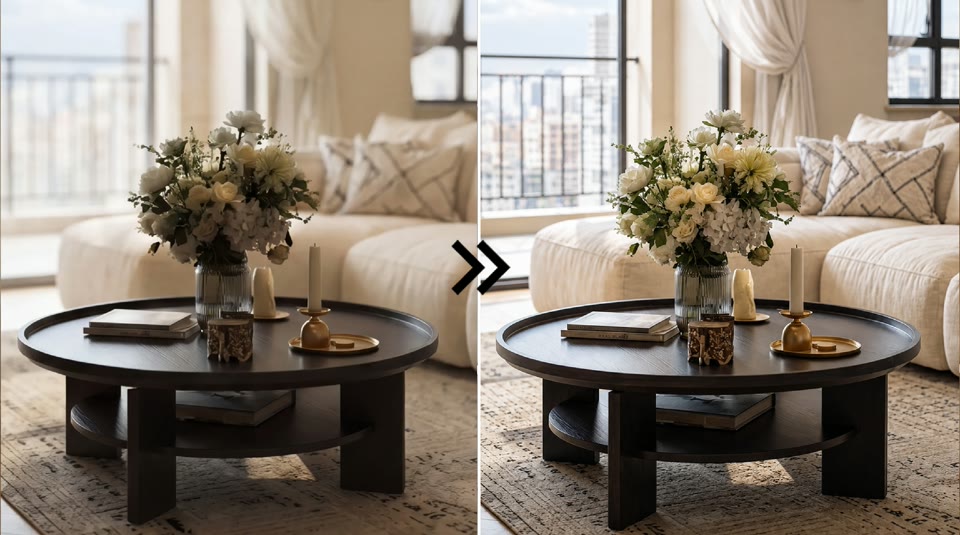
Use the best available source without repeated upscaling, and crop irrelevant borders, watermarks, or irrecoverably damaged areas first. Prepare these inputs: Upload image. Include optional inputs when needed.
Set Resolution for this task, then confirm before generating.
The production skill accepts one image and generates an enhanced version at 2K or 4K. a 2K or 4K enhanced image An enhanced image does not prove the authenticity of recovered detail. Verify drawing text, branding, product texture, and identity-sensitive features individually.
Official skill demo
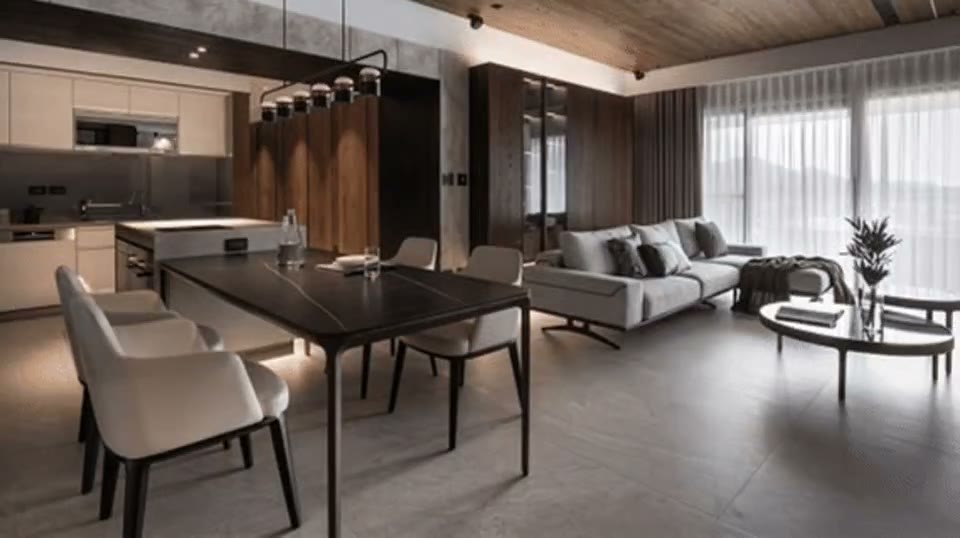
This example is published for this exact skill. It is shown as one complete official reference, not as an independently verified input/output pair or a promised result for your upload.
What the AI reads
The model reconstructs missing detail rather than recovering original pixels; textures, text, fine lines, logos, and facial features may be regenerated.
An enhanced image does not prove the authenticity of recovered detail. Verify drawing text, branding, product texture, and identity-sensitive features individually.
Practical guidance
Use the best available source without repeated upscaling, and crop irrelevant borders, watermarks, or irrecoverably damaged areas first.
Upload image, Resolution
Improve the readability of older renders, proposal screenshots, and compressed assets so edges, materials, and color reproduce better in presentations and layouts.
An enhanced image does not prove the authenticity of recovered detail. Verify drawing text, branding, product texture, and identity-sensitive features individually.
Where it helps
Use a 2K or 4K enhanced image to support legacy render cleanup while retaining the stated review boundary.
Use a 2K or 4K enhanced image to support proposal screenshot repair while retaining the stated review boundary.
Use a 2K or 4K enhanced image to support portfolio asset enhancement while retaining the stated review boundary.
Use a 2K or 4K enhanced image to support low-resolution reference cleanup while retaining the stated review boundary.
Workflow comparison
AI speeds up visual exploration, while established professional workflows remain responsible for verified facts and final delivery.
| Decision point | AI Design Image Restoration | Conventional workflow |
|---|---|---|
| Input | one design image affected by blur, noise, or compression | Verified project files and production data |
| Iteration | Generate and compare a visual direction quickly | Build and revise each option through the relevant specialist workflow |
| Evidence | The model reconstructs missing detail rather than recovering original pixels; textures, text, fine lines, logos, and facial features may be regenerated. | Dimensions, specifications, source files, and professional review |
| Output role | a 2K or 4K enhanced image | A verified deliverable for approval or production |
An enhanced image does not prove the authenticity of recovered detail. Verify drawing text, branding, product texture, and identity-sensitive features individually.
FAQ
one design image affected by blur, noise, or compression Use the best available source without repeated upscaling, and crop irrelevant borders, watermarks, or irrecoverably damaged areas first.
Upload image, Resolution
This section uses the production skill’s official demo and official cover to explain the interaction and capability range. The cover is not a user-uploaded source and the media is not presented as a strictly matched before-and-after pair.
An enhanced image does not prove the authenticity of recovered detail. Verify drawing text, branding, product texture, and identity-sensitive features individually.
Ark AI
Start with real project material, compare a few directions, and keep developing the selected result in the Ark AI canvas.