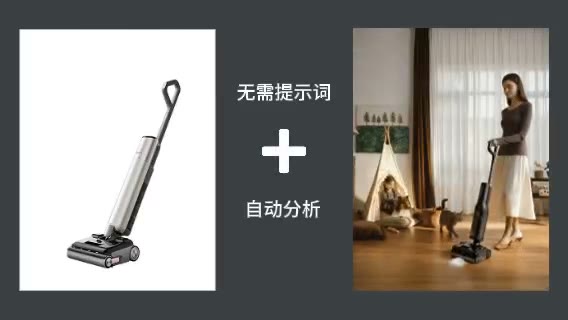
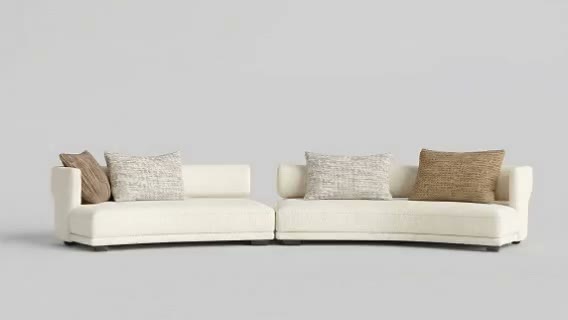
Move from sample to application
Show the material on walls, floors, furniture, or furnishings.

ARK AI DESIGN SKILL · AI material marketing scene
Build residential or commercial scenes around a real material sample so customers can understand its visual value at an application scale.
The demo could not be loaded. The preview and page remain available.
Capability
Build residential or commercial scenes around a real material sample so customers can understand its visual value at an application scale.
The AI can expand material color and texture over surfaces, but scale, repeats, reflection, color accuracy, joints, and performance may be wrong. Before marketing use, verify color, pattern, size, joints, performance, rights, and application limits. A generated image does not replace a physical sample.
Show the material on walls, floors, furniture, or furnishings.
Organize the scene around its color, texture, and brand position.
Compare residential, commercial, and stylistic applications.
Shortlist scenes worth producing or photographing.
Prepare the input
Clear source material and an explicit design objective give the model better evidence to work from. Use these checks before generation.
Start with a clear material image, a reference, and a defined application area. Use a material image with readable color, texture, and detail, and name the exact surface where it should appear.
The production skill provides Upload Style Reference Image, Upload Material Image, Size Ratio, Material Position Description.
The skill builds a scene from the style reference, material image, and intended placement without writing a full prompt.
Before marketing use, verify color, pattern, size, joints, performance, rights, and application limits. A generated image does not replace a physical sample.
How to use
Keep the first pass exploratory, compare alternatives, then carry the selected direction into the rest of the project.
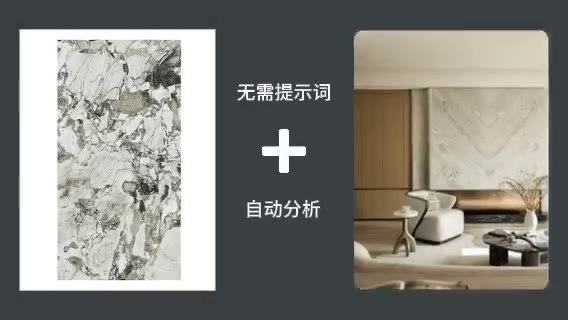
Also prepare:Material Position Description
Use a material image with readable color, texture, and detail, and name the exact surface where it should appear. Prepare these inputs: Upload Style Reference Image, Upload Material Image, Material Position Description. Include optional inputs when needed.
Set Size Ratio for this task, then confirm before generating.
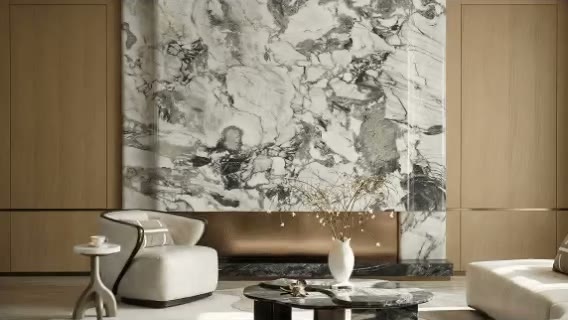
The skill builds a scene from the style reference, material image, and intended placement without writing a full prompt. Check the result against the source material. Before marketing use, verify color, pattern, size, joints, performance, rights, and application limits. A generated image does not replace a physical sample.
Official skill demo
This example is published for this exact skill. It is shown as one complete official reference, not as an independently verified input/output pair or a promised result for your upload.
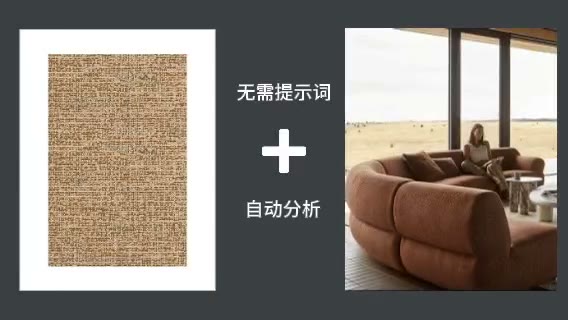
What the AI reads
The AI can expand material color and texture over surfaces, but scale, repeats, reflection, color accuracy, joints, and performance may be wrong.
Before marketing use, verify color, pattern, size, joints, performance, rights, and application limits. A generated image does not replace a physical sample.
Practical guidance
Use a material image with readable color, texture, and detail, and name the exact surface where it should appear.
This skill provides Upload Style Reference Image, Upload Material Image, Size Ratio, Material Position Description; select only the settings needed for the current decision.
The AI can expand material color and texture over surfaces, but scale, repeats, reflection, color accuracy, joints, and performance may be wrong.
Before marketing use, verify color, pattern, size, joints, performance, rights, and application limits. A generated image does not replace a physical sample.
Where it helps
Use a marketing scene that emphasizes material color, texture, and use to compare directions and align stakeholders during building-material marketing.
Use a marketing scene that emphasizes material color, texture, and use to compare directions and align stakeholders during tile and stone scenes.
Use a marketing scene that emphasizes material color, texture, and use to compare directions and align stakeholders during fabric application visuals.
Use a marketing scene that emphasizes material color, texture, and use to compare directions and align stakeholders during dealer product proposals.
Workflow comparison
AI accelerates early exploration and comparison; established professional workflows protect accuracy, feasibility, and formal delivery.
| Decision point | AI Material Marketing Scenes | Conventional workflow |
|---|---|---|
| Starting point | Begin with a clear material image, a reference, and a defined application area | Begin with structured requirements and production-ready data |
| Iteration | Compare several visual directions quickly | Revise and reproduce each option manually |
| Best use | Direction, atmosphere, composition, and early communication | Dimensions, specifications, feasibility, and formal approval |
| Output role | A proposal for selection and discussion | Verified data for production, construction, or publication |
Use AI to narrow the direction for a marketing scene that emphasizes material color, texture, and use, then verify the selected option through the appropriate professional workflow.
FAQ
Start with a clear material image, a reference, and a defined application area. Use a material image with readable color, texture, and detail, and name the exact surface where it should appear.
The production skill provides Upload Style Reference Image, Upload Material Image, Size Ratio, Material Position Description.
The skill builds a scene from the style reference, material image, and intended placement without writing a full prompt. The AI can expand material color and texture over surfaces, but scale, repeats, reflection, color accuracy, joints, and performance may be wrong.
Use it for exploration and communication, then follow this boundary: Before marketing use, verify color, pattern, size, joints, performance, rights, and application limits. A generated image does not replace a physical sample.
Ark AI
Start with real project material, compare a few directions, and keep developing the selected result in the Ark AI canvas.