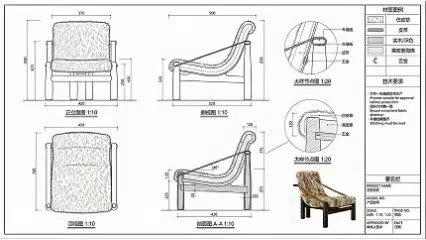
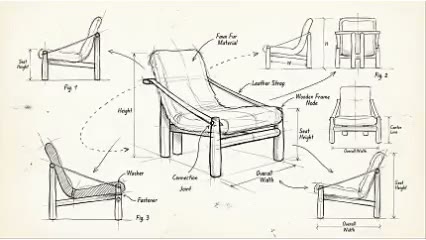
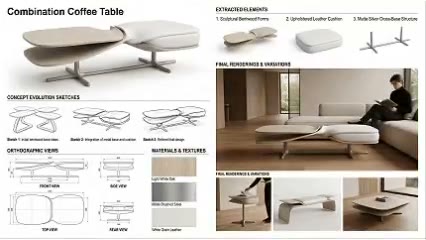
Reveal product composition
Use separated layers to explain external design logic.

ARK AI DESIGN SKILL · AI product exploded view
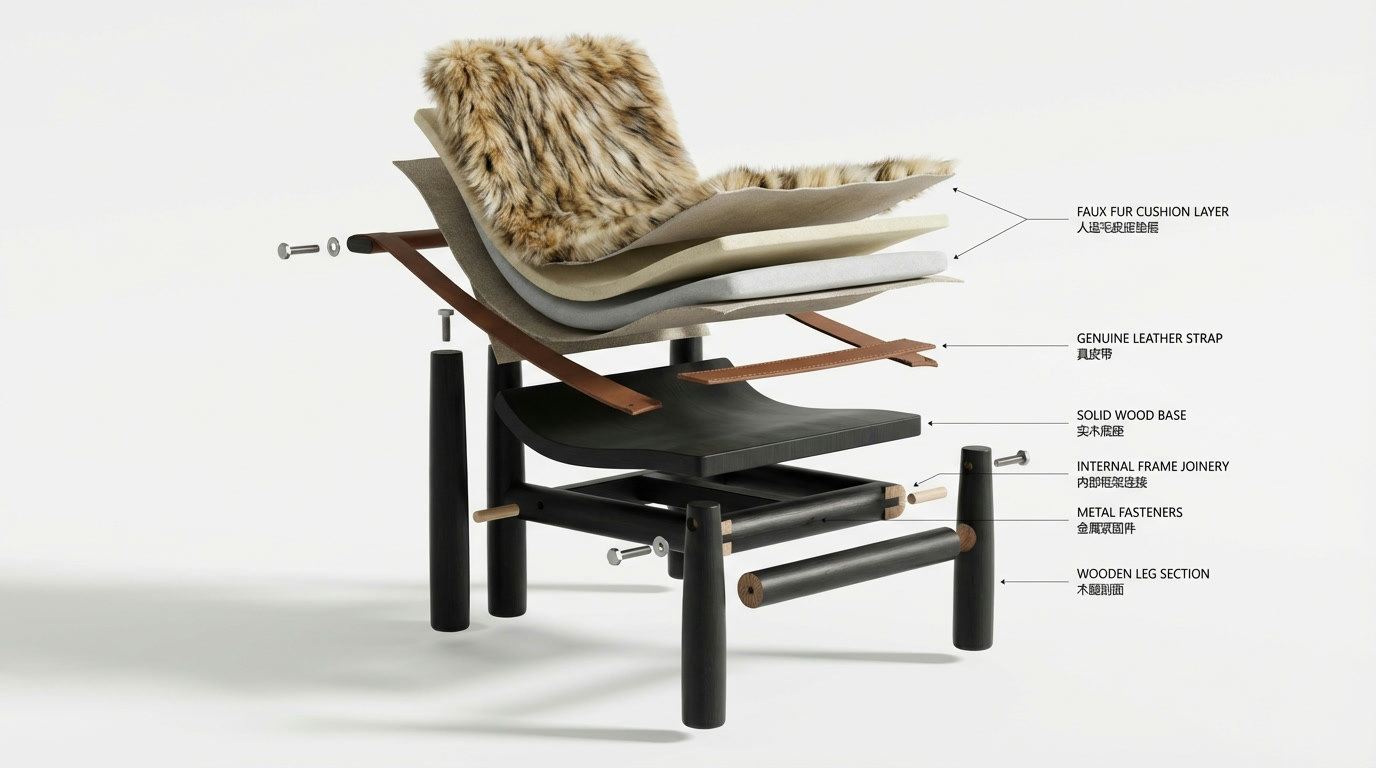
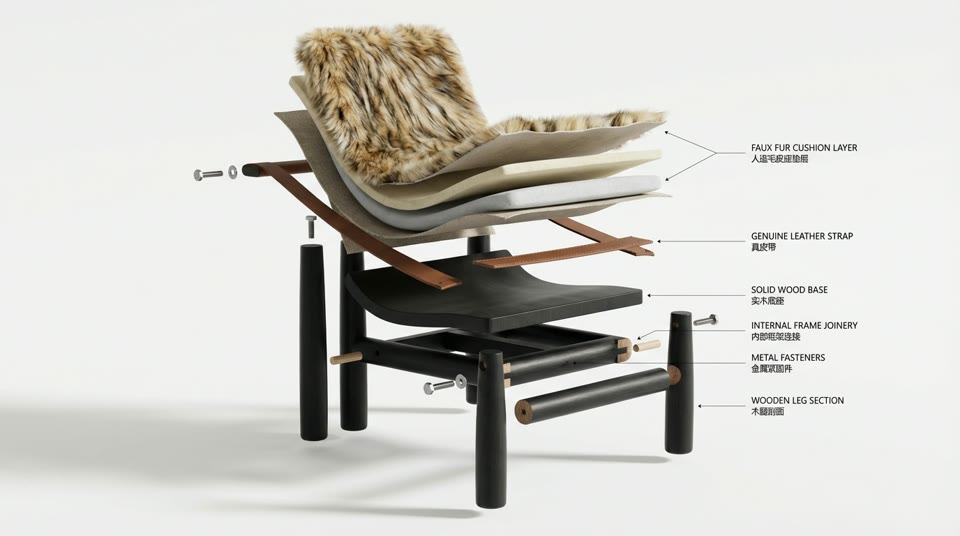
Expand a finished product into a spatial breakdown that communicates composition, possible component relationships, and product story.
Capability
Expand a finished product into a spatial breakdown that communicates composition, possible component relationships, and product story.
The AI infers unseen internal parts, connections, and assembly order, so the generated content is not the real engineering structure or disassembly method. Use the image for concept and visual communication. It cannot replace a BOM, assembly drawing, service manual, patent figure, or safety instruction.
Use separated layers to explain external design logic.
Develop an ordinary product image into a more dramatic composition.
Explore possible component relationships before engineering breakdown.
Continue into product sketches, orthographic views, and detail-page modules.
Prepare the input
Clear source material and an explicit design objective give the model better evidence to work from. Use these checks before generation.
Start with a complete product image with readable silhouette and structure. Use a complete product image with readable silhouette and primary structural layers, without cropping or a complex background.
The production skill provides Upload Image 1, Image Ratio.
Upload the product, add the design brief and image ratio, then generate an exploded creative visual with separated parts and clear hierarchy.
Use the image for concept and visual communication. It cannot replace a BOM, assembly drawing, service manual, patent figure, or safety instruction.
How to use
Keep the first pass exploratory, compare alternatives, then carry the selected direction into the rest of the project.
Use a complete product image with readable silhouette and primary structural layers, without cropping or a complex background. Prepare these inputs: Upload Image 1. Include optional inputs when needed.
Set Image Ratio for this task, then confirm before generating.
Upload the product, add the design brief and image ratio, then generate an exploded creative visual with separated parts and clear hierarchy. Check the result against the source material. Use the image for concept and visual communication. It cannot replace a BOM, assembly drawing, service manual, patent figure, or safety instruction.
Official skill example
This example is published for this exact skill. It is shown as one complete official reference, not as an independently verified input/output pair or a promised result for your upload.
What the AI reads
The AI infers unseen internal parts, connections, and assembly order, so the generated content is not the real engineering structure or disassembly method.
Use the image for concept and visual communication. It cannot replace a BOM, assembly drawing, service manual, patent figure, or safety instruction.
Practical guidance
Use a complete product image with readable silhouette and primary structural layers, without cropping or a complex background.
This skill provides Upload Image 1, Image Ratio; select only the settings needed for the current decision.
The AI infers unseen internal parts, connections, and assembly order, so the generated content is not the real engineering structure or disassembly method.
Use the image for concept and visual communication. It cannot replace a BOM, assembly drawing, service manual, patent figure, or safety instruction.
Where it helps
Use a layered exploded visual with separated product components to compare directions and align stakeholders during product concept presentations.
Use a layered exploded visual with separated product components to compare directions and align stakeholders during launch campaign visuals.
Use a layered exploded visual with separated product components to compare directions and align stakeholders during structure communication diagrams.
Use a layered exploded visual with separated product components to compare directions and align stakeholders during ecommerce detail modules.
Workflow comparison
AI accelerates early exploration and comparison; established professional workflows protect accuracy, feasibility, and formal delivery.
| Decision point | AI Product Exploded View | Conventional workflow |
|---|---|---|
| Starting point | Begin with a complete product image with readable silhouette and structure | Begin with structured requirements and production-ready data |
| Iteration | Compare several visual directions quickly | Revise and reproduce each option manually |
| Best use | Direction, atmosphere, composition, and early communication | Dimensions, specifications, feasibility, and formal approval |
| Output role | A proposal for selection and discussion | Verified data for production, construction, or publication |
Use AI to narrow the direction for a layered exploded visual with separated product components, then verify the selected option through the appropriate professional workflow.
FAQ
Start with a complete product image with readable silhouette and structure. Use a complete product image with readable silhouette and primary structural layers, without cropping or a complex background.
The production skill provides Upload Image 1, Image Ratio.
Upload the product, add the design brief and image ratio, then generate an exploded creative visual with separated parts and clear hierarchy. The AI infers unseen internal parts, connections, and assembly order, so the generated content is not the real engineering structure or disassembly method.
Use it for exploration and communication, then follow this boundary: Use the image for concept and visual communication. It cannot replace a BOM, assembly drawing, service manual, patent figure, or safety instruction.
Ark AI
Start with real project material, compare a few directions, and keep developing the selected result in the Ark AI canvas.