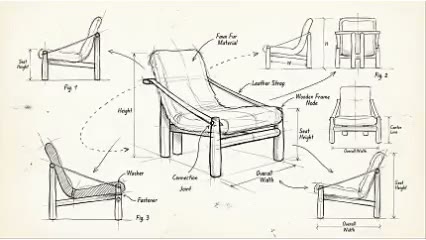
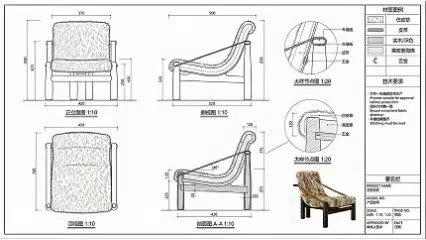
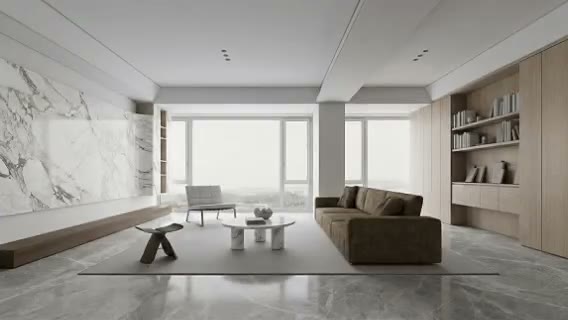
Move beyond the first solution
See alternatives outside the visual path the team already knows.

ARK AI DESIGN SKILL · AI product design variations
Preserve the product’s core use or brand DNA while varying silhouette, proportion, support, component rhythm, material, and detail to create a comparable concept family.
The demo could not be loaded. The preview and page remain available.
Capability
AI product design variations begin with an existing prototype, preserve its core use or identifying logic, and introduce meaningful differences in silhouette, proportion, support, parts, material, and detail. The purpose is not to create simple colorways but to show a team that one design question may have several formal responses.
This workflow can support early ideation, product-family research, and internal creative workshops. Generated images do not understand real load, ergonomics, assembly, tolerance, process, cost, regulation, or existing patents, and they cannot establish originality. Designers must redefine selected directions through their own sketches, models, engineering, testing, and IP process.
See alternatives outside the visual path the team already knows.
Vary one principle at a time so the value of each direction can be discussed.
Test how brand DNA might extend across scale, function, use, and price tiers.
Use visible alternatives to align design, marketing, engineering, and leadership.
Prepare the input
Clear source material and an explicit design objective give the model better evidence to work from. Use these checks before generation.
Keep the subject complete with readable silhouette, support, proportion, and functional parts.
List core use, brand signatures, contact surfaces, or structural ideas that should persist.
Separate silhouette, support, proportion, material, or function so results remain comparable.
Keep target user, dimensions, material, process, cost, and regulation available for screening.
How to use
Keep the first pass exploratory, compare alternatives, then carry the selected direction into the rest of the project.
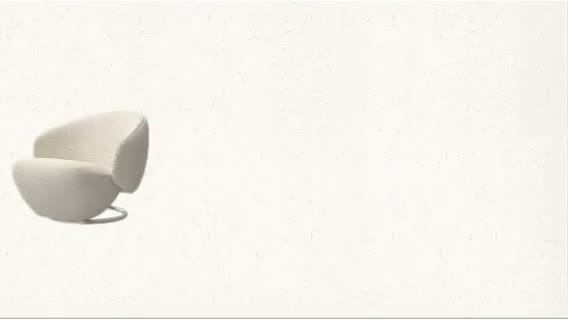
Choose a complete view that communicates form, proportion, and primary construction. Prepare these inputs: Upload Product Image. Include optional inputs when needed.
Set Variation Strength for this task, then confirm before generating.
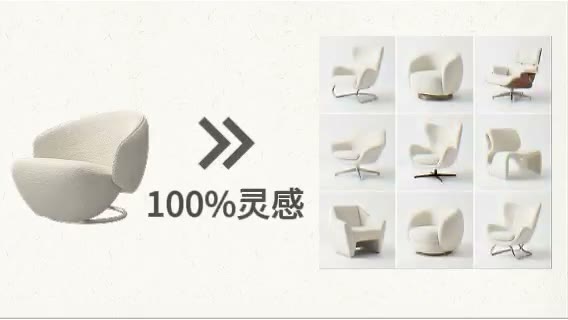
Group results by form, structure, material, or family logic instead of selecting only the most dramatic image. Develop the selected idea through original sketching, modeling, engineering, and testing.
Official skill demo
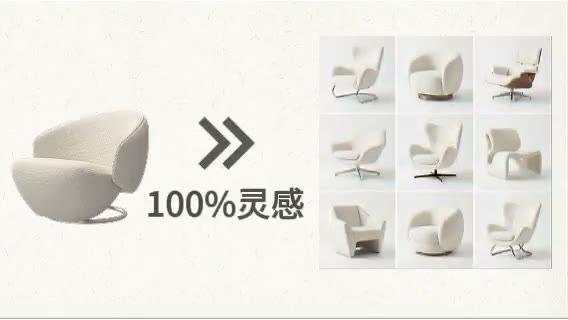
This example is published for this exact skill. It is shown as one complete official reference, not as an independently verified input/output pair or a promised result for your upload.
What the AI reads
The model reads visible form, components, proportion, material, and instructions. It does not understand actual load paths, assembly, tolerances, ergonomics, or supply chain.
Before publication or development, every concept needs original design work, structural and ergonomic validation, costing, compliance testing, and intellectual-property review.
Practical guidance
“Reduce material while preserving comfort” produces a more meaningful search than “make it futuristic.”
Score brand recognition, user value, manufacturing difficulty, material, cost, and risk.
Record the prototype, references, and reason for each variation to protect a clear design process.
Use physical mockups and 3D models to test proportion, stability, and interaction after visual selection.
Where it helps
Explore chairs, sofas, tables, storage, and lighting directions.
Extend one brand language across sizes, functions, and markets.
Use grouped variations to align design, marketing, and engineering.
Compare formal and structural paths against target users.
Workflow comparison
AI increases visual option volume. Industrial design provides problem definition, original reasoning, ergonomics, engineering, user evidence, and market validation.
| Decision point | AI Product Design Variations | Conventional workflow |
|---|---|---|
| Ideation speed | Rapidly produces many visual directions | Builds concepts through research, sketching, and models |
| Change control | Can follow constraints but retains randomness | Every formal choice can trace to a design objective |
| Manufacturability | Does not understand structure, assembly, or cost | Engineering, prototype, and suppliers validate the concept |
| Result type | Creative stimulus and screening material | Original design definition and developable product |
Use AI output as a creative stimulus, not a finished design. Product value emerges when designers reframe the problem and validate the selected direction.
FAQ
Yes. State what must remain and isolate the support, arm, back, base, or other target, then check unintended changes.
No conclusion can be made from an image. Patentability needs original design records, searches, legal judgment, and formal documentation.
Define a formal variable such as proportion, support, component rhythm, or use while preserving the main function.
No image alone can answer that. Review structure, material, process, cost, regulation, user testing, and suppliers.
Ark AI
Start with real project material, compare a few directions, and keep developing the selected result in the Ark AI canvas.