Turn atmosphere into actionable clues
Separate primary furniture, lighting, textile, and decor from one complete scene.

ARK AI DESIGN SKILL · AI soft furnishing product extraction
Identify furniture, lighting, rugs, curtains, art, and accessories, then organize category, silhouette, material, color, and relationship cues for furnishing and sourcing work.
The demo could not be loaded. The preview and page remain available.
Capability
AI soft furnishing product extraction identifies sofas, chairs, tables, storage, lights, rugs, curtains, artwork, plants, and decorative objects inside a complete interior image. It reorganizes the scene into product categories, silhouette, material, palette, and relationship notes so a team can move from “we like this image” to “these are the objects and combinations we should research.”
The workflow supports reference analysis, sourcing briefs, proposals, and procurement research. Occlusion, perspective, low resolution, and image editing prevent reliable brand, model, dimension, upholstery, price, stock, or rights identification. Extracted objects should become search directions and candidate criteria rather than asserted product facts.
Separate primary furniture, lighting, textile, and decor from one complete scene.
Record how each object relates to floor, wall, light, adjacent furniture, and color.
Use category, silhouette, material, and color language to search for purchasable alternatives.
Create a board that clients, designers, and vendors can discuss together.
Prepare the input
Clear source material and an explicit design objective give the model better evidence to work from. Use these checks before generation.
Keep furniture, lighting, and decor visible and avoid small compressed screenshots.
Compare space scale, audience, budget character, and style with the real project.
When the scene is dense, specify the sofa, hero light, chair, rug, or art that matters most.
Record dimensions, budget, lead time, region, durability, fire, and maintenance requirements.
How to use
Keep the first pass exploratory, compare alternatives, then carry the selected direction into the rest of the project.
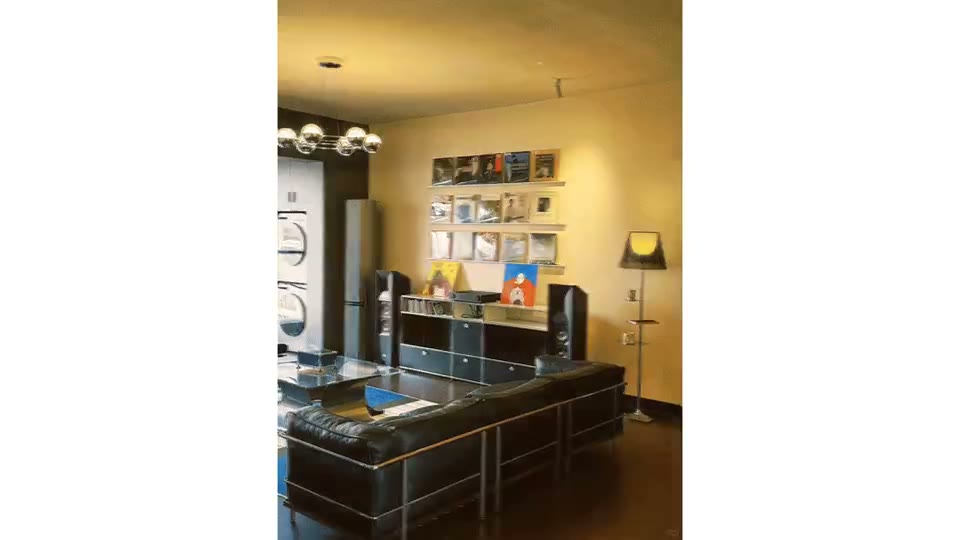
Choose a high-quality scene where product edges, materials, and relationships are readable. Prepare these inputs: Soft Furnishing Space Image. Include optional inputs when needed.
Set Image Ratio for this task, then confirm before generating.
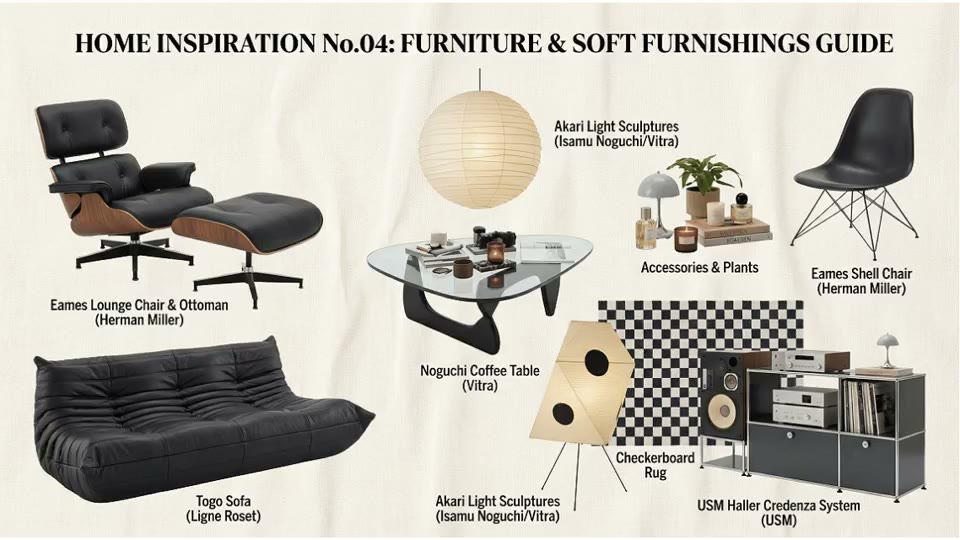
Check each object against the source and remove misidentified architecture or decoration. Search for purchasable products and filter by dimensions, budget, performance, and availability.
Official skill demo
This example is published for this exact skill. It is shown as one complete official reference, not as an independently verified input/output pair or a promised result for your upload.
What the AI reads
The model combines object contours, texture, occlusion, scene semantics, and color. Partly hidden, reflective, or cropped products are more likely to be misinterpreted.
Any purchasing or public identification must rely on a real product page, supplier confirmation, samples, and technical data. Do not present a visual match as a confirmed brand or model.
Practical guidance
Separate primary furniture, secondary furniture, lighting, textile, and decor before defining criteria.
Even without dimensions, note the relationship between sofa, rug, side table, chair, and light.
“Light open-grain timber” or “short-pile textured textile” creates a better search brief than “premium.”
Find several real alternatives for each object, then compare dimension, cost, performance, and lead time.
Where it helps
Convert a mood image into furniture, lighting, textile, and decor research.
Organize product roles, color, and styling relationships.
Build search language around category, silhouette, material, and color.
Explain the intended visual direction and project constraints.
Workflow comparison
AI accelerates scene decomposition and search language. Professional sourcing determines actual products, dimensions, budget, performance, availability, delivery, and aftercare.
| Decision point | AI Soft Furnishing Product Extraction | Conventional workflow |
|---|---|---|
| Recognition speed | Rapidly organizes many objects and features | A designer researches and records products individually |
| Result type | Visual similarity and category direction | Real brand, model, specification, and supply condition |
| Styling judgment | Retains color and proportion cues from the source | Balances project size, user, budget, and maintenance |
| Procurement readiness | Requires further search and verification | Can form a controlled schedule, quote, and order plan |
Use AI to turn an inspiration image into a research brief, then let furnishing and procurement teams convert that brief into a deliverable product schedule.
FAQ
Usually not reliably. Use the output to describe similar visual characteristics and verify identity through trusted sources.
It can suggest a complete form, but hidden shape and dimension are inferred. Treat it as a direction.
The skill focuses on visual breakdown and does not guarantee current price, stock, lead time, or links.
No. A procurement schedule needs verified product, dimensions, quantity, budget, performance, supplier, and delivery information.
Ark AI
Start with real project material, compare a few directions, and keep developing the selected result in the Ark AI canvas.